

Guides
Ship Your First E-Signature Flow Fast with Firma: A Developer Quickstart

Are you a developer and already have your Firma account? Perfect. This guide gets you from “API key in hand” to a live, embedded signing flow. We’ll keep it lean, focus on decisions, and link you straight to working snippets in the docs.
Looking for the Non-technical guide? Click here.
What you’ll do
Model customer isolation with Workspaces
Create a reusable Template
Send a Signing Request
Embed the signing experience or redirect
Track everything with Webhooks
Pricing is simple. It’s €0.049 per envelope, test with real documents, free so you can build and test end to end.
Prereqs
Company or workspace API key from your dashboard
A PDF you can turn into a template
A place to run server code for JWT generation and webhooks
Need a refresher on the overall flow? See the Complete Setup Guide.
1) Create a workspace for each customer
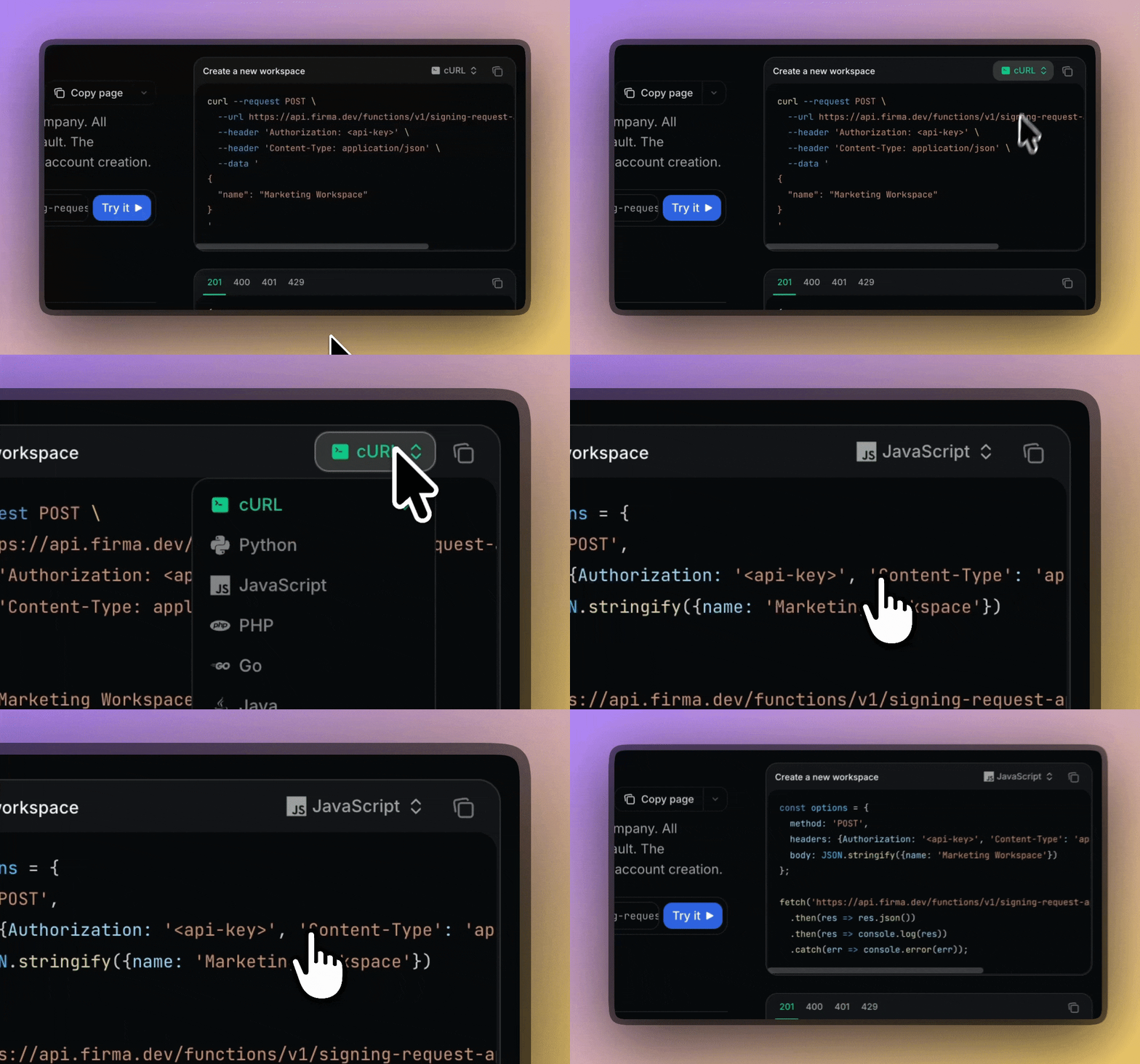
Workspaces give every customer a private, partitioned space with isolated templates, documents, and usage. It’s the cleanest way to build SaaS-style multi‑tenant separation without leaking data across customers.
Helpful: workspace settings like email copy and timezone are per‑workspace.
2) Create a reusable template
Templates hold the PDF plus roles and fields, so you can send the same document many times with different recipients.
Option A: Let users design templates inside your app
Embed the template editor with a short‑lived JWT.
Generate the token server‑side.
3) Create the signing request
Turn your template into a live transaction. You can also create from a raw PDF if you prefer. The reference covers recipients, fields, reminders, and validation rules.
Optional: let business users fill details and send from your UI
Embed the signing request editor with a 7‑day JWT.
Generate the JWT server‑side.
4) Send the signing request
When you are ready, trigger the send.
5) Deliver signing inside your product or via redirect
Embedded signing
Each recipient signs at a unique URL that follows this pattern:
https://app.firma.dev/signing/{signing_request_user_id}.
You’ll fetch the signing_request_user_id from the API.
Redirect signing
Alternatively, you can send recipients to the hosted signing interface. See the same guide above for details.
6) Track everything with webhooks
Listen for events like created, sent, viewed, signed, and completed to update your system in real time. The guide includes HMAC verification, rotation, retries, and a production checklist.
Architecture quick notes
JWTs. Generate them server‑side. Template editor tokens are short‑lived; signing request editor tokens expire after 7 days.
Workspaces for SaaS. Keep customers fully partitioned. Your operators still work from a single API.
Pricing and rollout. Start on included free envelopes, then go live. No minimums. €0.049 per envelope.
What's next?
Hook up your first workspace
Add a template
Send your first request
Choose embed or redirect
Wire up webhooks
👉 Get your API key now - no credit card required.
Related articles
Our platform is designed to empower businesses of all sizes to work smarter and achieve their goals with confidence.




