


The Problem with Multi-Signer Documents
See Who Signed What Without Leaving the Document
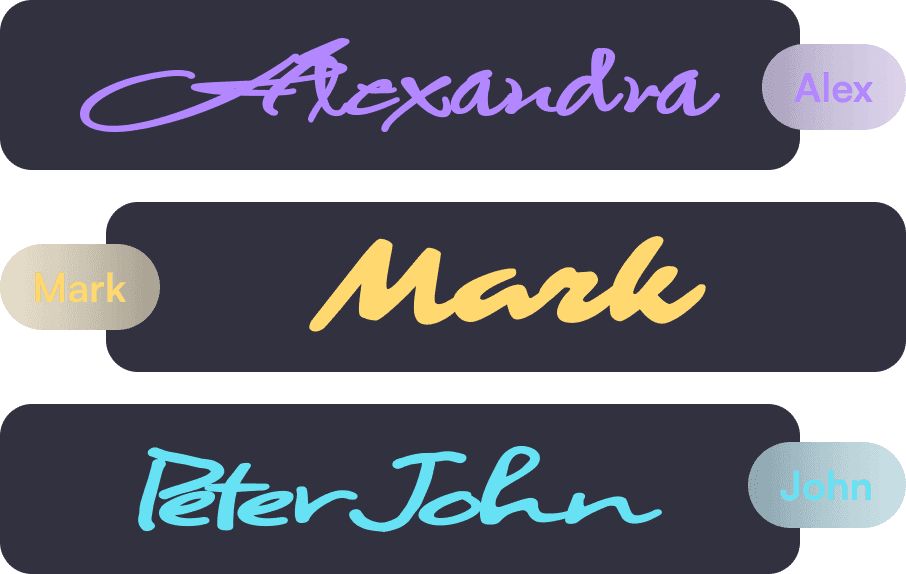
Firma.dev's signature verification frames solve this by rendering a small visual identifier directly on each signature in completed PDFs. Each frame displays a truncated signer ID, so you can look at the document and immediately see which signer placed which signature. No audit log required.
The feature shipped in v1.10.0 and is enabled by default for all accounts.
Know exactly who signed where
Every Signature, Clearly Labeled
Every signature in a completed PDF now includes a purple pill overlay showing a truncated signer ID. If a contract has four signers across six signature fields, each field is tagged with the ID of the person who signed it.
Built for Compliance Reviews and Legal Audits
This is particularly useful for compliance reviews, legal teams auditing executed contracts, and any multi-signer workflow where attribution matters. Instead of relying on signature appearance or field placement order, you get explicit visual identification baked into the document itself.


Traceability That Works Everywhere
For regulated industries, this adds a layer of traceability that's visible without specialized tools. Anyone reviewing the PDF can see who signed what, whether they're using Adobe Acrobat, a browser preview, or your own document viewer.
Three levels of control
Firma.dev uses a cascading settings model for signature frames, the same pattern used for OTP verification and language settings across the platform.
The show_signature_frame field is available at three levels:
Company
Sets the default for all workspaces (enabled by default).
Workspace
Overrides the company setting, or inherits with null.
Signing request
Overrides the workspace setting, or inherits with null.
Values are straightforward: true shows the frame, false hides it, and null inherits from the parent level.
This means you can leave frames on globally and turn them off for specific white-label customers, or disable them company-wide and enable them selectively for regulated workflows. The inheritance keeps things clean without requiring you to set the value on every individual request.
To disable frames for a specific workspace:
Clean PDFs for white-label workflows

Keep Your Brand Front and Center
The other side of this feature is about branding. If you're embedding Firma.dev into your product and your customers should never see our name on a completed document, turning off signature frames gives you a completely clean PDF output.
Your Brand. Your Product. Zero Trace of Ours.
Combine this with custom email domains, embedded signing, and email notification control for a fully white-labeled experience. Your customers see your brand, not ours.

Different Settings for Different Customers
Per-workspace control is what makes this practical for multi-tenant SaaS apps. One customer workspace might need verification frames for compliance reasons, while another wants pristine documents with zero third-party branding. You configure each workspace independently and the inheritance model handles the rest.
For a deeper walkthrough of the full white-label setup, see the complete white-label guide.
How it works in the API
The show_signature_frame field accepts true, false, or null and is available on Company, WorkspaceSettings, and SigningRequestSettings.
To enable frames for a specific signing request even when the workspace default is off:
The setting takes effect when the completed PDF is generated. Changing it after a document is already completed won't retroactively update existing PDFs.
Check the API changelog for the full field reference across all three setting levels.
