

DocuSign API: The Straight-Talk Guide for Developers
Cutting Through the Confusion
If you're researching the DocuSign API, you've probably already noticed that finding straight answers isn't easy.
The official documentation is extensive, the pricing page is vague about API costs, and figuring out what you'll actually pay requires talking to sales.
What You'll Find Here
This guide cuts through the noise. We'll cover what the DocuSign API can do, what it actually costs for developer use cases, where it falls short, and what alternatives exist for teams that need something simpler.
What Is the DocuSign API?
DocuSign's eSignature REST API lets developers programmatically create, send, and manage signature requests.
The core workflow is straightforward: you create an "envelope" containing one or more documents, define signers and signature fields, send it out, and track status via webhooks or polling.
Key capabilities include:
Creating envelopes with documents and signature fields
Managing recipients, routing order, and signing flows
Embedding signing experiences in your application
Templates for reusable document types
Webhooks for real-time status updates
Bulk sending for high-volume use cases
Powerful on Paper, Complex in Practice
Getting Started: OAuth 2.0 and Available SDKs
Authentication uses OAuth 2.0, which means you'll need to implement authorization code grants or JWT flows before making API calls. The SDK ecosystem covers most major languages including Node.js, Python, C#, Java, Ruby, and PHP.
Where It Gets Complicated
On paper, it's a complete solution. The challenge is everything that sits around the API: the pricing model, the enterprise-focused feature gates, and the integration complexity that adds weeks to what should be a straightforward implementation.

DocuSign API Pricing: What Developers Actually Pay
DocuSign's API pricing is where things get confusing. The company publishes developer plan tiers, but the real cost depends on envelope volume, which features you need, and whether you exceed your allotted quotas.
Plan
Annual Cost
Envelopes Included
Starter
€600/year
~40/month
Intermediate
~€1,200/year
~100/month
Advanced
~€3,600/year
Higher volume
Enterprise
Custom
Negotiated
Those numbers look manageable… Until you dig into the details
The envelope math breaks down fast. At $600/year for 480 annual envelopes, you're paying $1.25 per envelope at baseline. Exceed your quota and overage fees kick in. According to user reports on DocuSign's community forums and Reddit, these overages range from $0.50 to $4.80 per envelope depending on your plan and contract terms.
One user on the DocuSign community forum reported: after upgrading to Business Pro, they discovered they were paying more per envelope in overages than Standard users. Higher tier, higher overage rate. The pricing logic isn't always intuitive.
Hidden costs compound the problem:
Automation sends are capped separately. Even on higher tiers, API-triggered sends may count against a seperate automation quota (around 100 per user per year). Exceed it and you're paying metered fees.
Premium features require upgrades. Bulk sending, document markup, advanced authentication, and embedded signing options often require Advanced or Enterprise plans.
Annual commitment required. All developer plans require annual prepayment. Monthly billing either isn't available or comes with a 20-30% premium.
For a mid-size SaaS product sending 1,000 envelopes per month, DocuSign's API pricing can easily exceed $10,000 per year once overages and required features are factored in.
Authentication is more complex than it needs to be
OAuth 2.0 is standard, but DocuSign's implementation requires navigating consent flows, token management, and separate handling for different environment types (demo vs production). For server-to-server API calls where you just want to send documents programmatically, this adds unnecessary setup time.
Compare this to simpler APIs that use straightforward API keys for authentication. You generate a key, add it to your headers, and you're making calls within minutes.
Documentation is comprehensive but sprawling
DocuSign's developer docs cover nearly every edge case, which sounds like a good thing until you're 30 tabs deep trying to piece together a basic signing flow. The quickstart guides help, but moving from "hello world" to production-ready code often requires hunting through multiple documentation sections, community forum threads, and Stack Overflow posts.

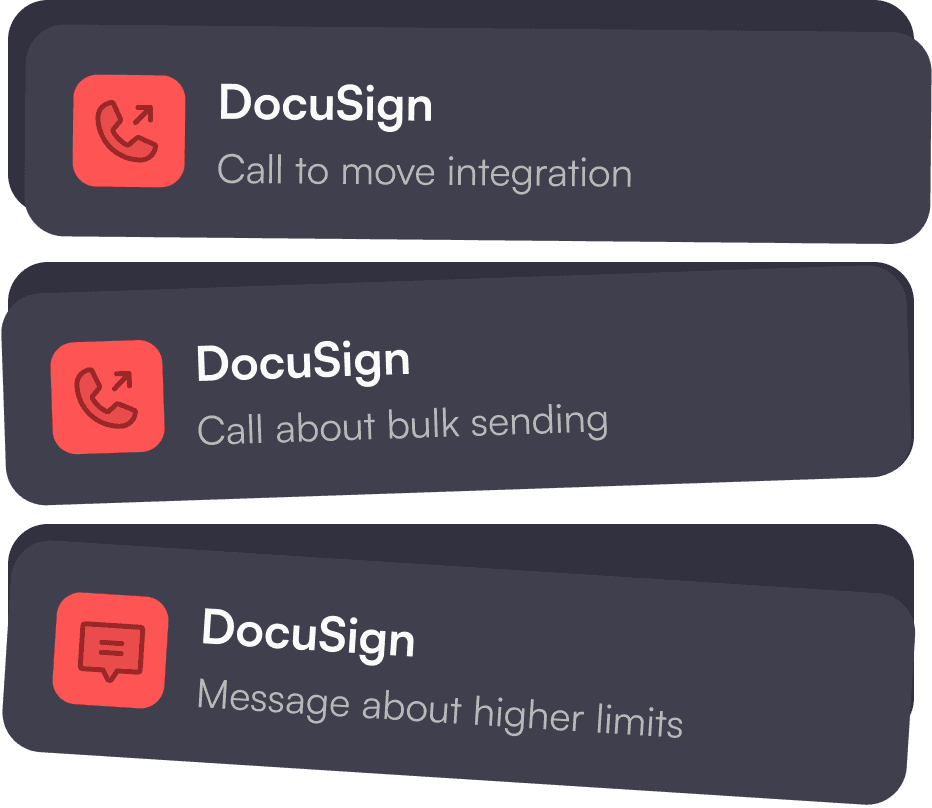
Production access requires sales involvement
Want to move your integration from sandbox to production? You'll need to contact DocuSign. Want to enable bulk sending? Contact support. Need higher rate limits? Talk to your account manager. For teams used to self-service developer platforms, this gatekeeping slows down shipping.
The Support Problem
One developer on the DocuSign community forums documented spending 20+ hours trying to figure out bulk sending costs and enable the feature. The information wasn't available on the website, the chatbot couldn't answer the question, and support took over 30 minutes to enable something that should have been a checkbox.


Rate limits can surprise high-volume users
The API caps requests per hour and per day, with polling rate limits that affect real-time status tracking. For applications with bursty workloads, these limits create unexpected bottlenecks.
When DocuSign API Makes Sense
Despite the friction, DocuSign is the right choice for some use cases. Being fair about where it excels helps you make a better decision.
Enterprise organizations with existing DocuSign contract
They often find API access makes sense because they're already paying for the platform. Adding developer access to an existing Enterprise agreement is typically negotiable, and the legal/procurement work is already done.
Regulated industries with specific compliance requirements
They may need DocuSign's certifications. If your customers require FedRAMP authorization, specific audit certifications, or compliance documentation that DocuSign already has, the premium may be justified.
Complex CLM workflow
The type that need contract lifecycle management beyond basic signatures can benefit from DocuSign's broader platform. If you need document generation, negotiation workflows, AI-powered contract analysis, and signature in one system, DocuSign's IAM (Intelligent Agreement Management) platform covers more ground than pure e-signature APIs.
For most developer use cases, though, particularly startups and mid-size SaaS products that need embedded signing, these enterprise features add cost without adding value.
DocuSign API Alternatives for Developers
If DocuSign's pricing model and complexity don't fit your use case, several alternatives offer simpler integration paths and more predictable costs.
Firma.dev
Firma.dev is developer-first by design, built to be embedded into your product. The API is made for building in, pricing is transparent, and you can go from signup to production in hours rather than weeks.
Pricing
€0.049 per envelope. No monthly fees, no annual commitments, no envelope quotas to track. You pay for what you send.
At 1,000 envelopes per month:
DocuSign: $1,200+ per year (baseline) to $6,000+ with overages
Firma.dev: $588 per year
API design
REST endpoints, API key authentication, straightforward request/response patterns. No OAuth flows required for server-to-server calls.
Integration time
Most developers report shipping a complete integration in a few hours. The embedded signing editor and template builder drop into your app via iframe with minimal configuration.
White-label included
Full branding control at the base price. Your users never see Firma.dev unless you want them to.
Customer Workspaces
For SaaS builders, each of your customers gets an isolated environment with their own templates, usage tracking, and branding. Clean multi-tenant architecture without complex permission schemes.
DocuSeal (Open Source)
DocuSeal is an open-source e-signature solution you can self-host. Full control over your infrastructure and no per-envelope costs.
Pricing
Free to self-host. Managed hosting available.
Tradeoffs
You may be responsible for infrastructure, uptime, and potentially legal liability for signature validity. Best for teams with strong DevOps capabilities and specific data residency requirements.
Firma.dev vs DocuSign API: Direct Comparison
For developers evaluating alternatives, here's how the two platforms compare on metrics that matter for API use cases.
Code comparison
DocuSign envelope creation involves envelope definitions, document objects, recipient objects with tabs, and OAuth token management.
A minimal example runs 50+ lines before you're sending anything.
Firma.dev Signing request:
Do you need DocuSign's enterprise features?
CLM, FedRAMP, specific compliance certifications that your customers require? If yes, DocuSign may be worth the complexity.
Is your organization already paying for DocuSign?
Adding API access to an existing enterprise contract is often easier than evaluating alternatives.
Is predictable pricing important?
If budget surprises from envelope overages would cause problems, usage-based pricing without quotas is safer.
How fast do you need to ship?
If e-signatures are a feature, not your core product, spending weeks on integration means weeks not spent on what actually differentiates your product.
